Time back
The half hour usually spent writing up the minutes after a meeting is no longer needed.


Centro
Centro automatically creates structured minutes and retains what was said for the long term, even when no minutes are needed.
Decisions, action items and knowledge are preserved: traceable and available at any time.
You set the price.
One-off, no subscription. Setup in your environment and fine-tuning to your wording included.
Product tour
Five views from the application, from the first meeting to the analysis.
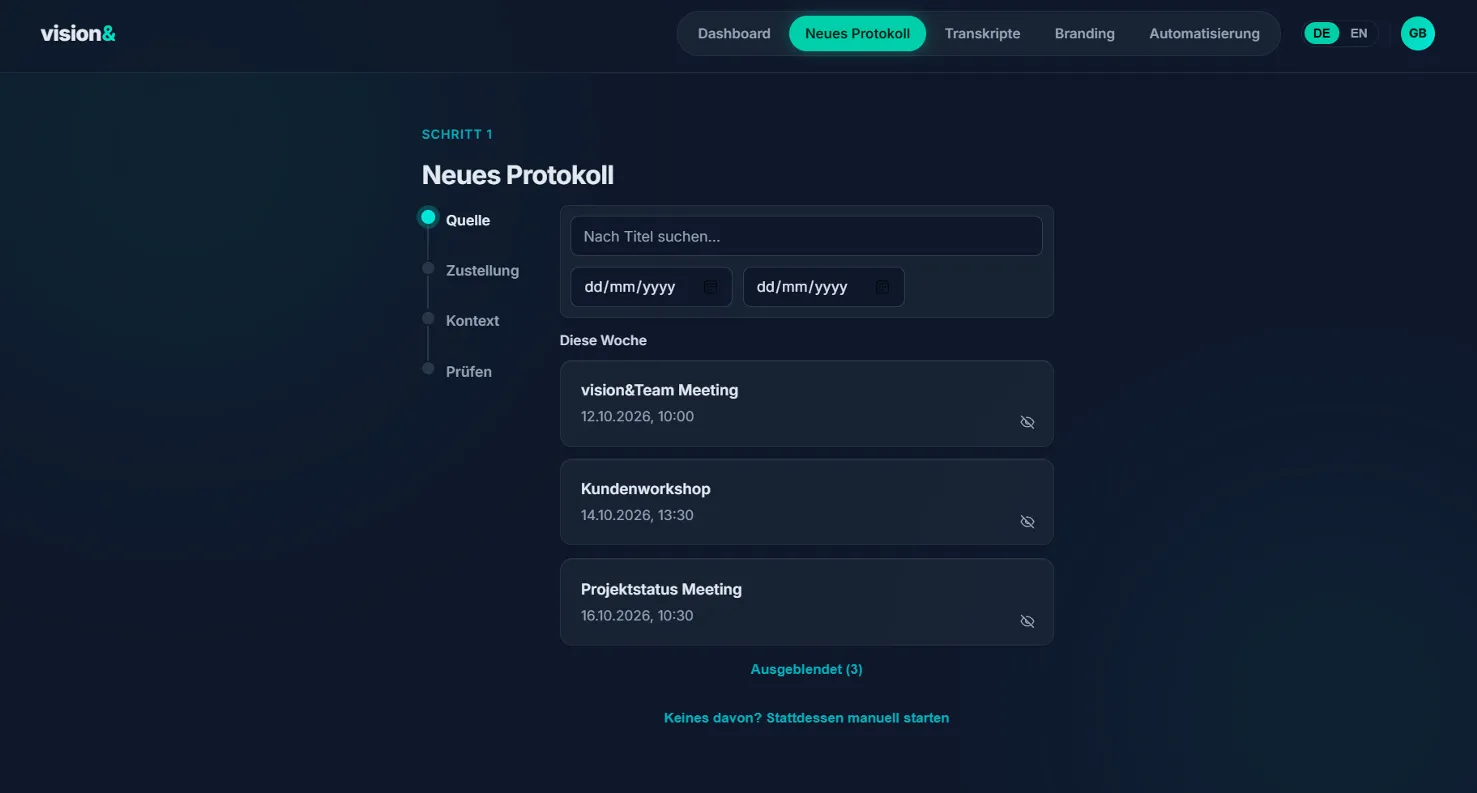
Step 1/5
Select the meeting, add context, review. Less effort, more context, consistent quality.
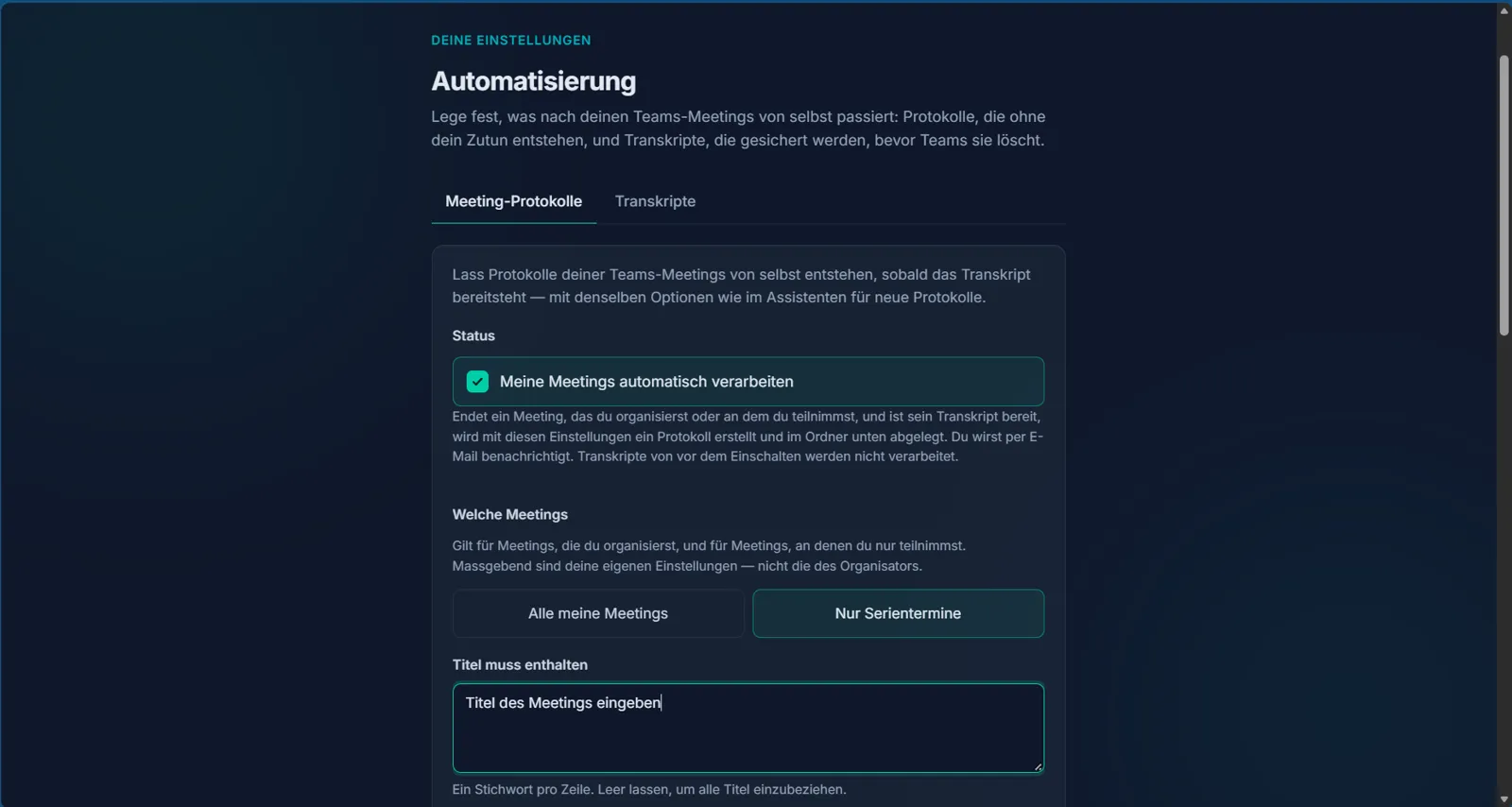
Step 2/5
For all meetings or recurring ones only: the minutes are created automatically as soon as the transcript is available.
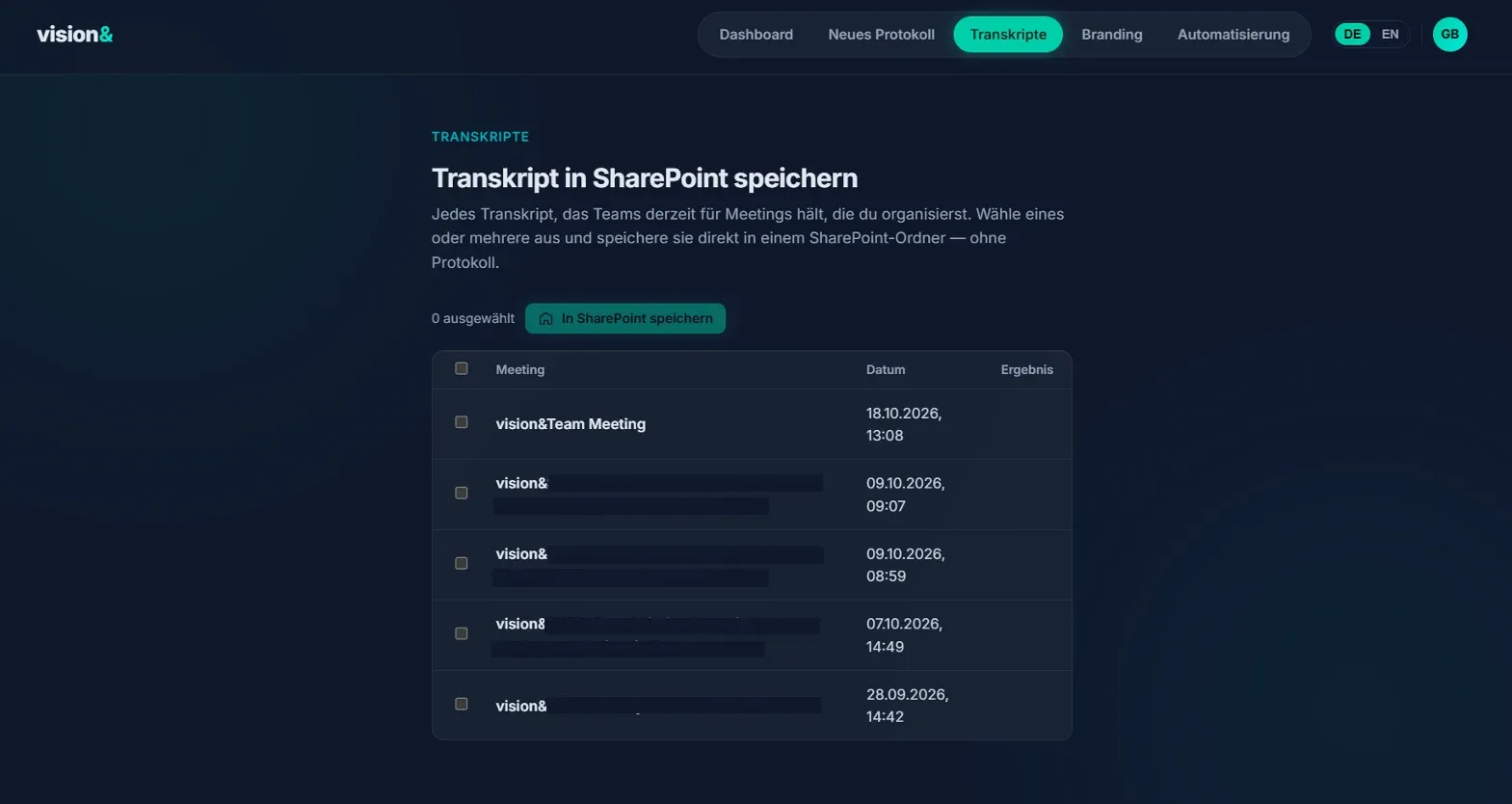
Step 3/5
Transcripts are stored in SharePoint before Teams deletes them. The knowledge is retained and can be analysed centrally.
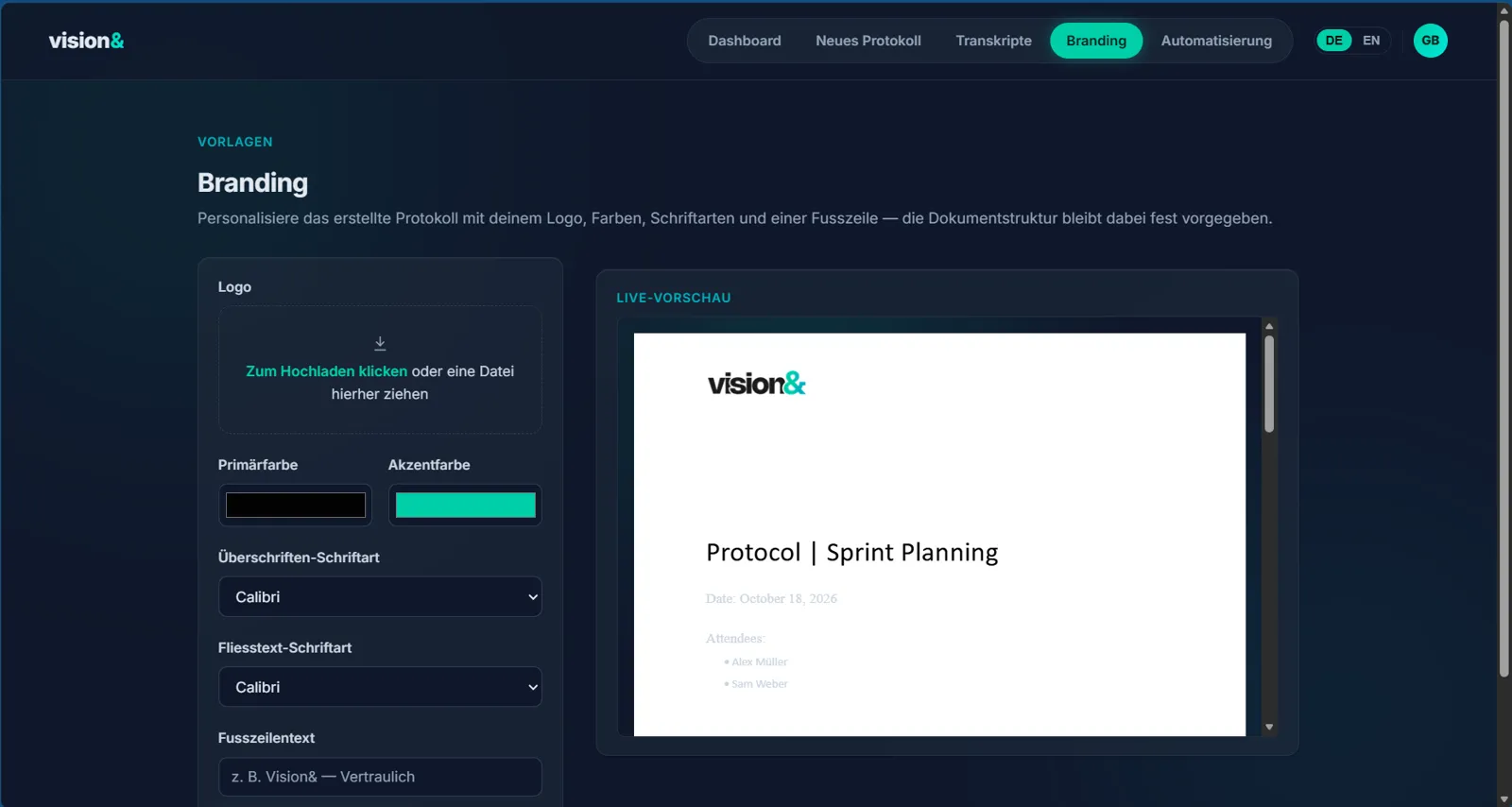
Step 4/5
Logo, colours, fonts and footer, with a live preview of the minutes.
Step 5/5
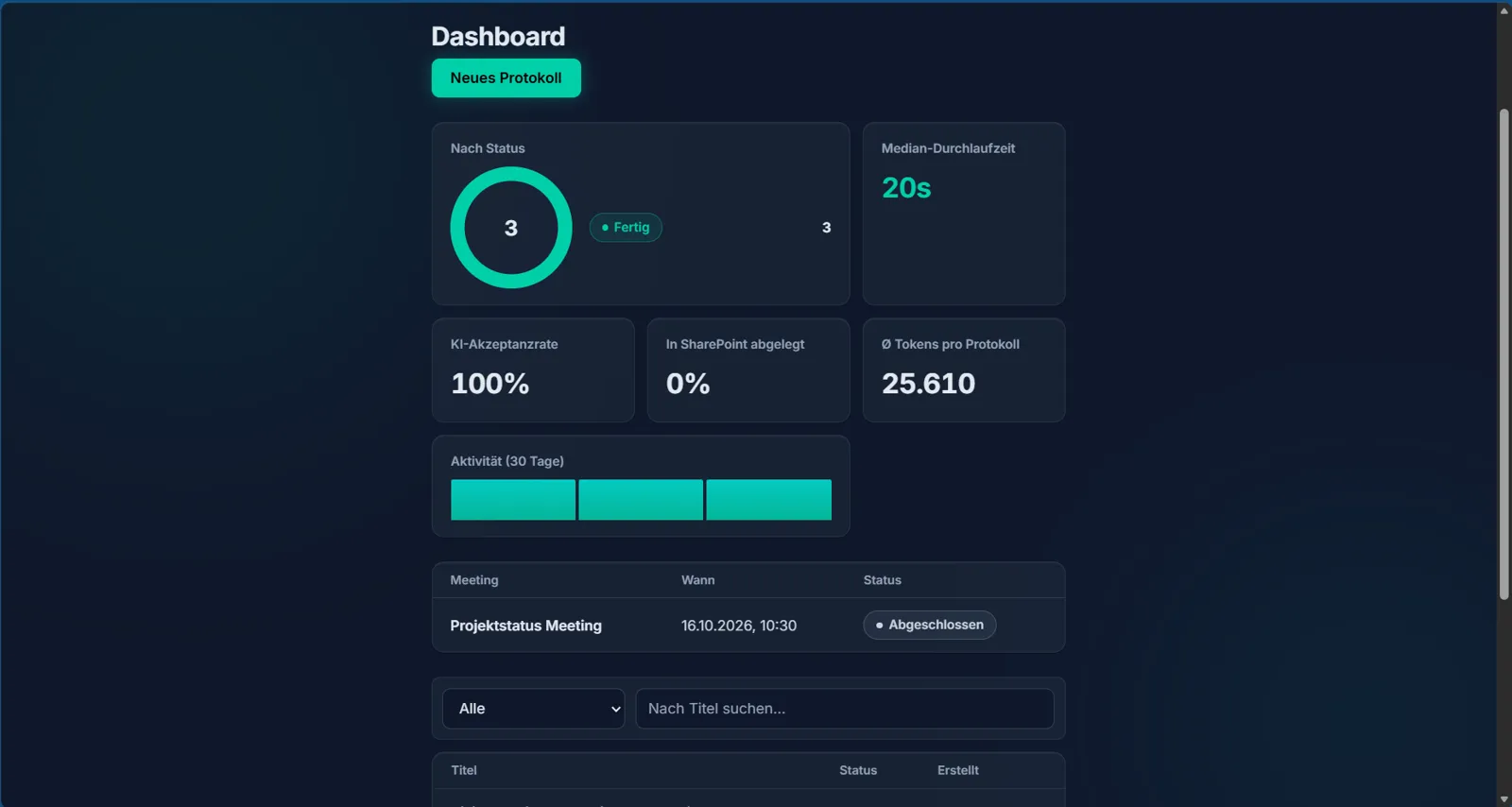
Turnaround time, acceptance of AI suggestions, filing rate and activity at a glance.
What you get
The half hour usually spent writing up the minutes after a meeting is no longer needed.
Months later, it is still clear what was decided and why.
Every action item has an owner and a due date. Responsibilities are clear from the outset.
New team members and anyone who missed a session find the current status in the minutes. Knowledge is retained, even when people leave the company.
The dashboard shows turnaround time, acceptance of AI suggestions, the SharePoint filing rate and your teams' activity.
Minutes in your company's branding and language, ready for clients and partners without rework.
Everything stays in your own Microsoft environment.
Centro
Centro grows with you
You set the price. One-off.
Setup in your environment and fine-tuning to your wording included.
Questions about Centro
Centro automatically turns meeting transcripts and documents into structured minutes: summary, key points, decisions, action items with owners and next steps. If a meeting needs no minutes, Centro stores what was said as context in the right SharePoint folder, so the knowledge is preserved and available at any time.
You set the price. You pay once, with no subscription and no minimum. Setup in your environment and one hour of fine-tuning to your wording are included.
An existing Azure resource in your own tenant is required, because that is where we set up Centro. You also need SharePoint for filing and meetings for which a transcript is available. We go through the details with you before setup.
Centro runs in your own Azure tenant. Transcripts, documents and minutes stay within your Microsoft environment.
We set up Centro in your environment. In one hour of fine-tuning we adapt the wording of the minutes to your language and your conventions.
German and English. Further languages are available as an extension.
Centro does not produce a one-off chat answer. It produces minutes in a consistent structure, with decisions and owners, filed in a defined location. The dashboard makes day-to-day use measurable.
Yes. Centro is designed to be extended, for example with quotes and pitches, minute formats per committee, an AI chat across your meetings or an integration with your task management.